Knowledge base
Guest greeter check-in
Created on 05 Mar 2026, Updated 12 Oct 2026 17:39
Guest greeter check-in
The Guest Greeter feature allows event organisers to generate temporary, shareable links that grant greeters (door staff, volunteers, or helpers) access to the check-in interface without requiring a user account or login.
Overview
Guest greeter links provide a secure, time-limited way to:
- Allow non-staff members to check in attendees at the door
- Track who performed each check-in via the greeter's name
- Grant anonymous access without creating user accounts or sharing passwords
- Automatically expire after 24 hours or when the event ends
How it works
For organisers
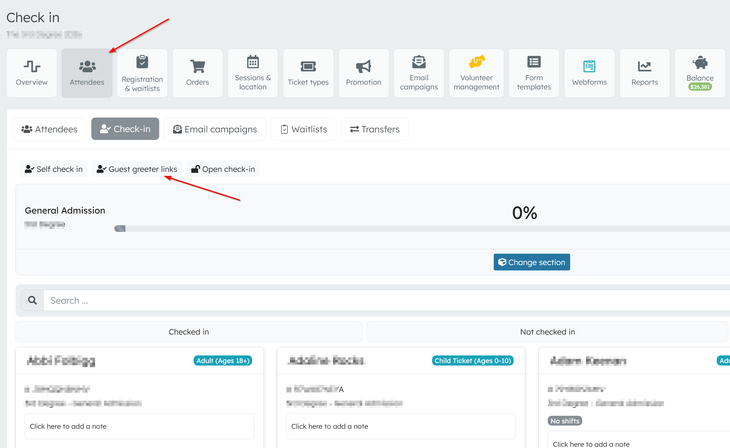
- Navigate to the Check-in page for your event
- Click the "Guest Greeter Link" button
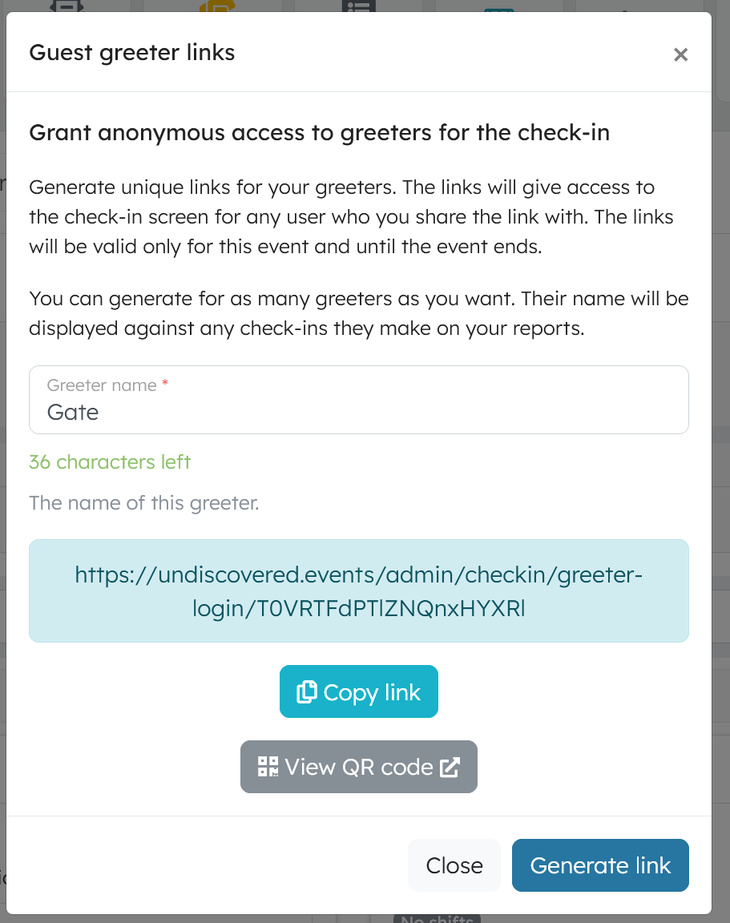
- Enter a name for the greeter (e.g., "Sarah - Door 1", "Volunteer Team A")
- Click "Generate link"
- Copy the generated link or view the QR code to share with your greeter
For greeters
- Receive the link or QR code from the organiser
- Click the link or scan the QR code (no login required)
- The greeter gains immediate access to the check-in interface for that specific event
- The greeter's name is recorded against every check-in they perform
Security features
Token-based authentication
- Links contain a secure, encoded token with the event ID and greeter name
- Tokens are Base64URL-encoded and unique to each greeter
Automatic expiration
- Guest greeter sessions expire after 24 hours
- Sessions are invalidated when the event ends
- Organisers can generate new links at any time
Session management
- The guest greeter session is stored in a browser session
- If a logged-in user clicks a greeter link, they are redirected to the normal check-in page
- Expired sessions show an appropriate error message
Permissions
Guest greeters can:
- View the check-in list for their assigned event
- Check in and check out attendees
- View ticket details and notes
- Use the QR scanner interface
Guest greeters cannot:
- Access any other events
- Access admin functions
- View financial information
- Modify event settings
Check-in recording
When a guest greeter checks in an attendee, the system records:
- The attendee's ticket information
- The greeter's name (from the link)
- The timestamp of the check-in
- The check-in type (e.g., "search", "scan")
Generating multiple links
You can generate as many unique links as needed:
- One link per volunteer
- Separate links for different entry points (Door A, Door B)
- Temporary links for substitute staff
Each link is independent and tracks check-ins separately.
QR code option
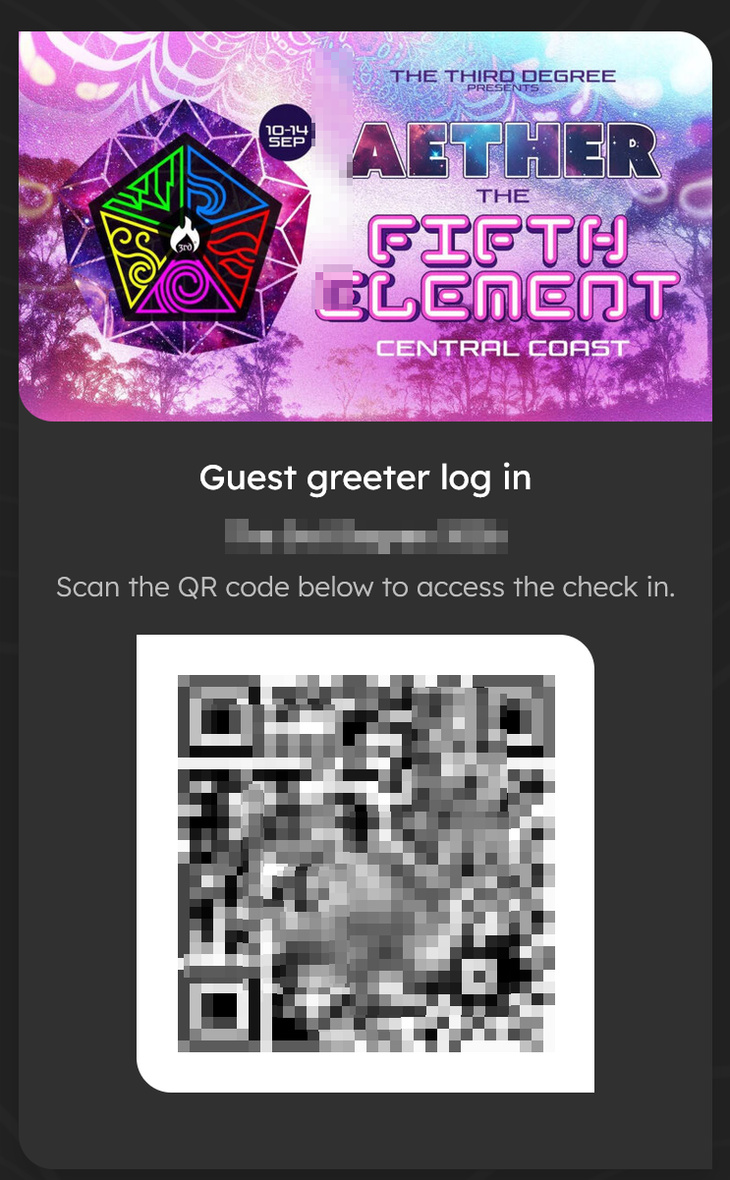
In addition to the direct link, you can generate a QR code:
- Click "View QR code" to open the QR code in a new tab
- Print the QR code for easy scanning at the door
- Greeters scan the code with any QR scanner to access check-in
Best practices
- Use descriptive names: Name greeters clearly (e.g., "Sarah - Main Entrance") for accurate reporting
- Generate fresh links for each event: Don't reuse old links
- Share securely: Send links via private message, not public channels
- Monitor check-ins: Regular greeters should have user accounts for better tracking
- Test before the event: Verify links work correctly before the event starts
Troubleshooting
"Your guest greeter session has expired"
The 24-hour window has passed. Ask the organiser to generate a new link.
"You don't have access to that event"
The link may be for a different event or has been invalidated. Request a new link.
"Event has ended"
The event has concluded, and greeter access is no longer available.
Link not working
- Ensure the full URL is copied (links can be long)
- Check for extra spaces or characters
- Verify the event hasn't been deleted or cancelled
Related articles
Guest ticket automation allows you to streamline your event registration process by automatically creating free tickets